
The AgWaterAI iPhone app
Your blocks, the week in depth and your water, on your phone.
The same record your adviser works from, in your pocket. Growers see the weekly briefing, the blocks to look at first and the reviewed water order. The field team sees the visit queue and captures readings on site.
Open the sample account before you sign in
Every screen in the app has a sample version: a fictional farm with sample blocks, marked “Sample data” on every page. Tap Try the demo (sample data) on the sign-in screen and walk through the whole app. Nothing is sent, nothing is connected to a farm.
Every screenshot on this page is that sample account. No customer’s farm, blocks or numbers appear here.
What you see
Dated figures, labeled estimates, and a flag that tells you why it is there.
Two doors, one app
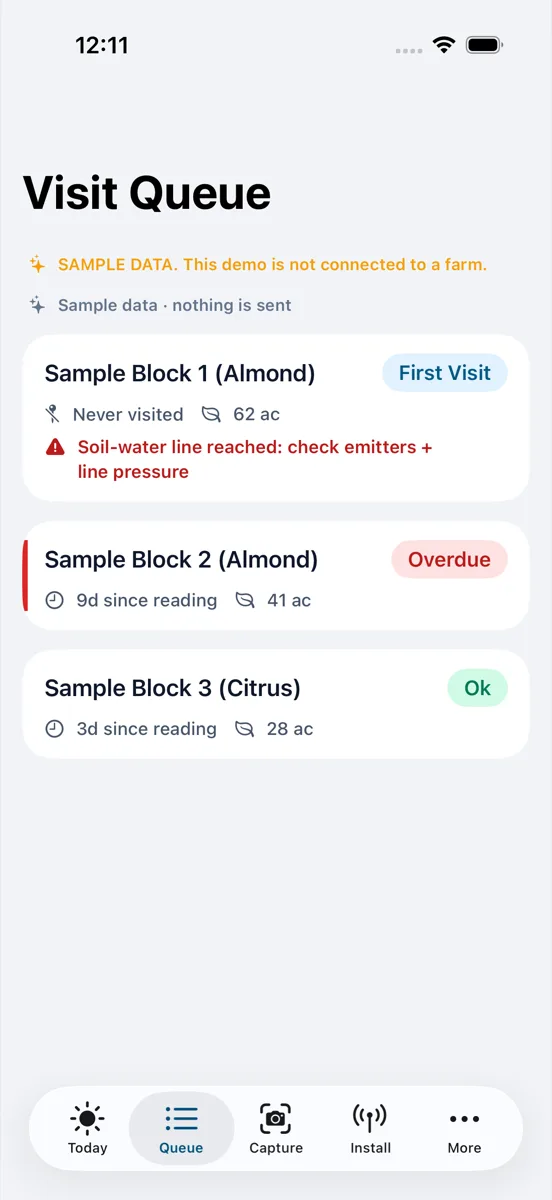
Growers and advisers sign in with their farm access. The field team signs in with a staff code and sees only the visit and capture tools.
Grower and adviser: where things are
- Home
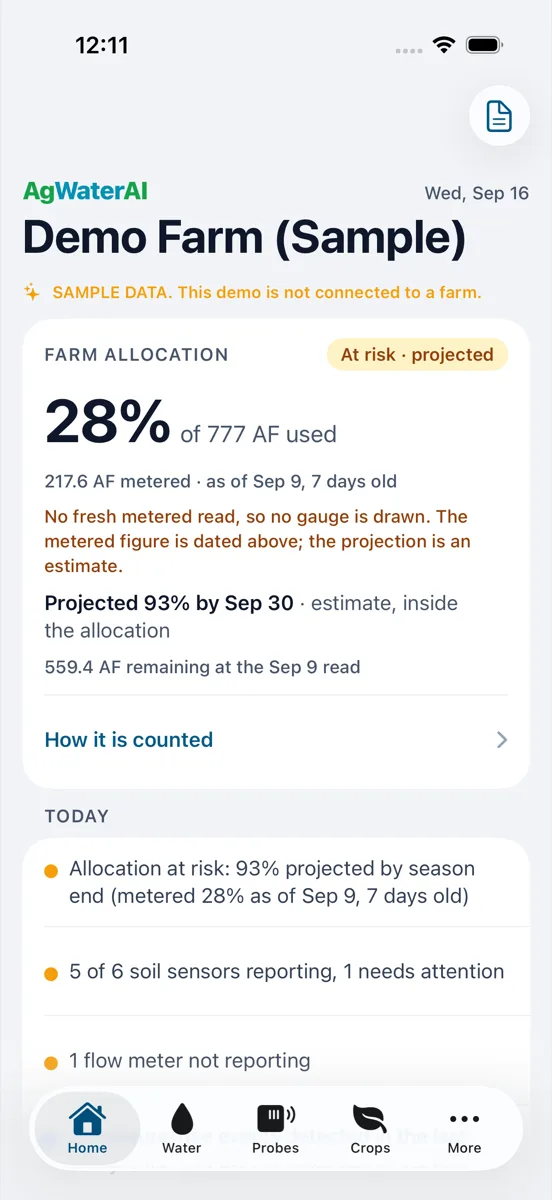
- Farm allocation, today’s items and the blocks to look at first.
- This week, in depth (a row on Home)
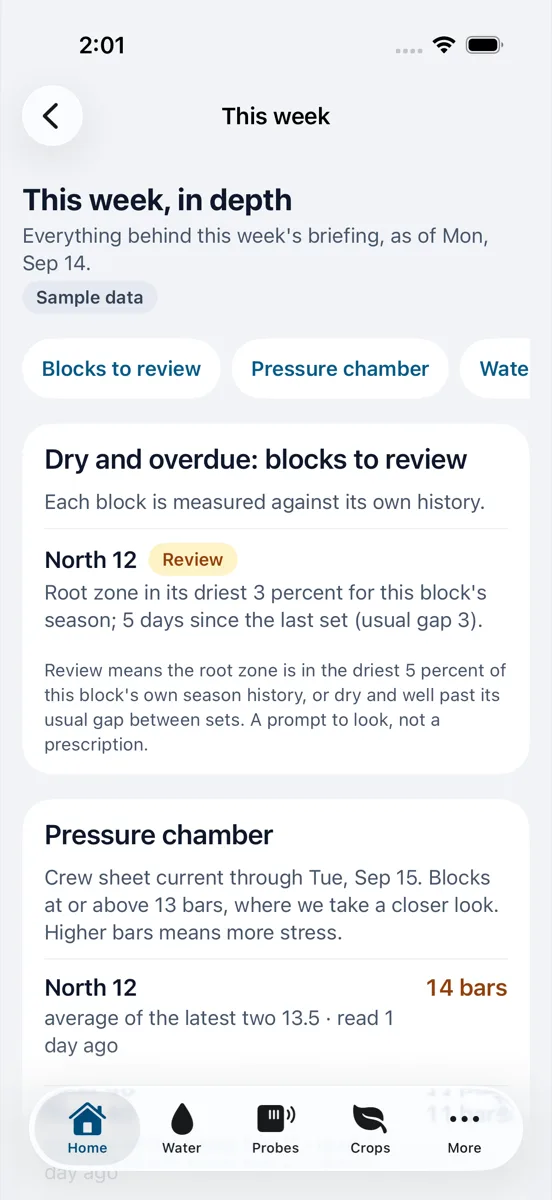
- Everything behind the Monday briefing: blocks to review, pressure chamber history, water run by block, probe health, alerts, what changed and a day by day forecast.
- Water
- Metered use against the allocation, dated to the read it came from. Estimates are labeled as estimates.
- Probes and Crops
- Which sensors are reporting, which need attention, and each crop’s blocks.
- Reports (from the Home toolbar)
- The archive of weekly briefings and the reviewed water order, in the reader.
- Notifications (under More)
- One switch for everything, and a switch for each kind.
Field team: the tabs
- Today
- The day’s visits, ranked by what is most overdue.
- Queue
- The visit queue: every block with its last reading date, acreage and the flag that put it there.
- Capture
- Pressure chamber readings by photo, with the block and the time filled in.
- Install
- Sensor installs and site notes, logged from the field.
From the Monday email to the matching screen
Every section of the weekly briefing email carries a link. On an iPhone with the app installed, the link opens that section in the app: the blocks to review, the pressure chamber history, the water run. Without the app it opens the same section on the web dashboard.
Notifications are yours to set: one switch for everything, and one for each kind, in the app and in iPhone Settings.
Your farm’s data stays your farm’s
Farm data is shown to signed-in accounts on that farm. The sample account shares nothing.
A metered figure carries the date of the read. A projection says estimate. A missing read is shown as missing.
A reading captured in the app is saved with its block, its time and its photo, exactly as entered.
Full detail in the farmer data policy.
Get the app
Free on the App Store. Sign in with your AgWaterAI account, or open the sample account first. Not a customer yet? See what you get or talk to us.
 Scan with your iPhone camera