
Sample data throughout. The gauge photo and practice sync are demonstrations.
A field visit, from first check to water order.
See how the field team finds the next block, checks the evidence and records what happened.
Take the guided field tour on your iPhone. No sign-in needed.
Step 1
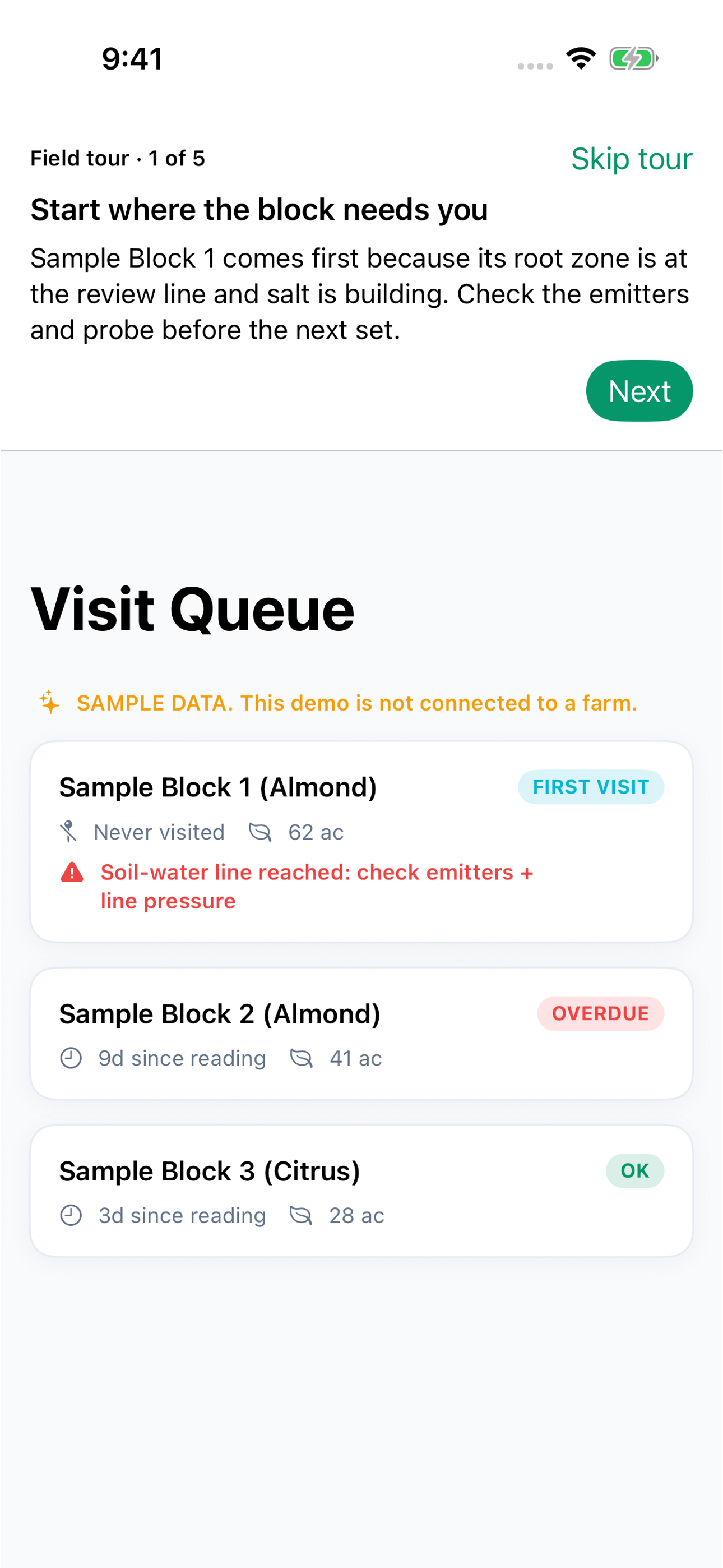
Start where the block needs you
Sample Block 1 comes first because its root zone is at the review line and salt is building. Check the emitters and probe before the next set.
Step 2
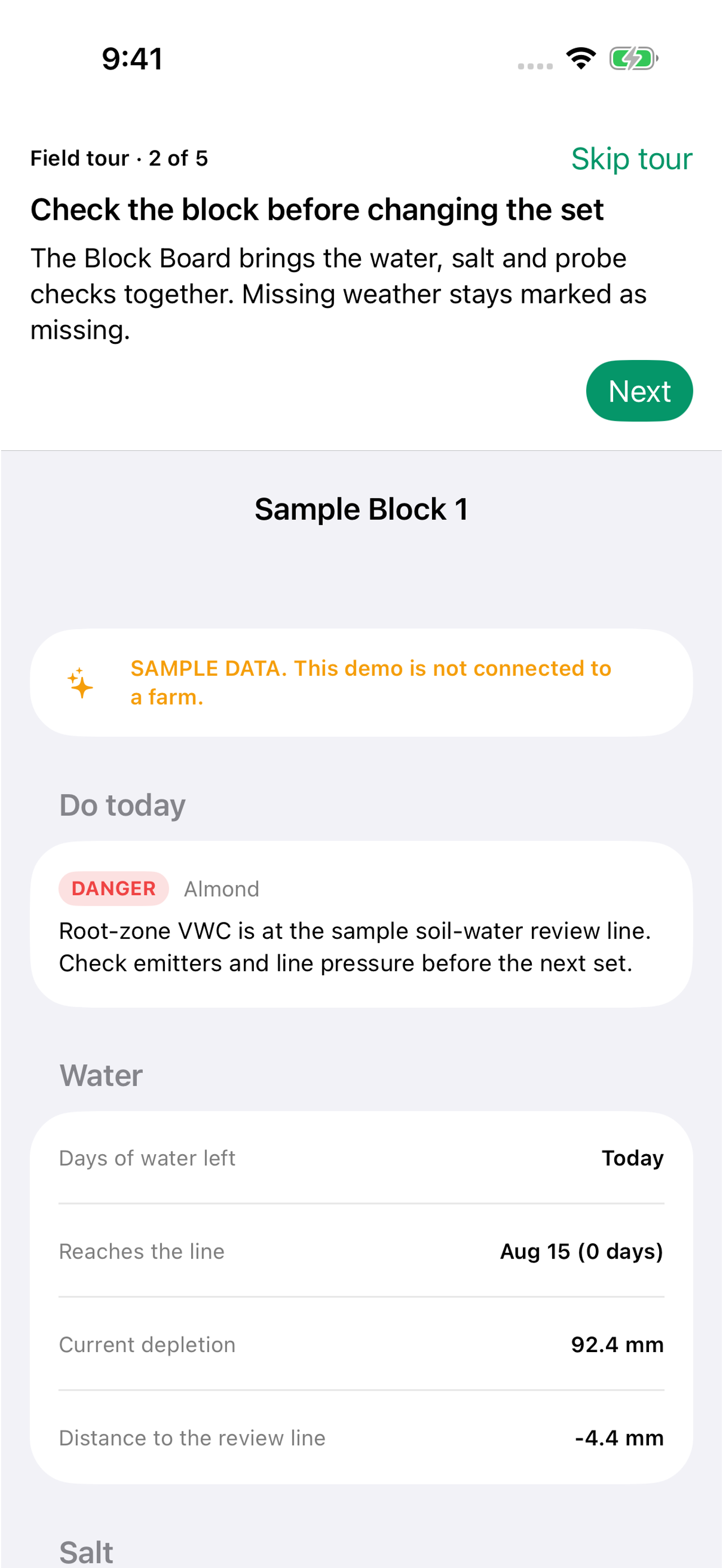
Check the block before changing the set
The Block Board brings the water, salt and probe checks together. Missing weather stays marked as missing.
Step 3
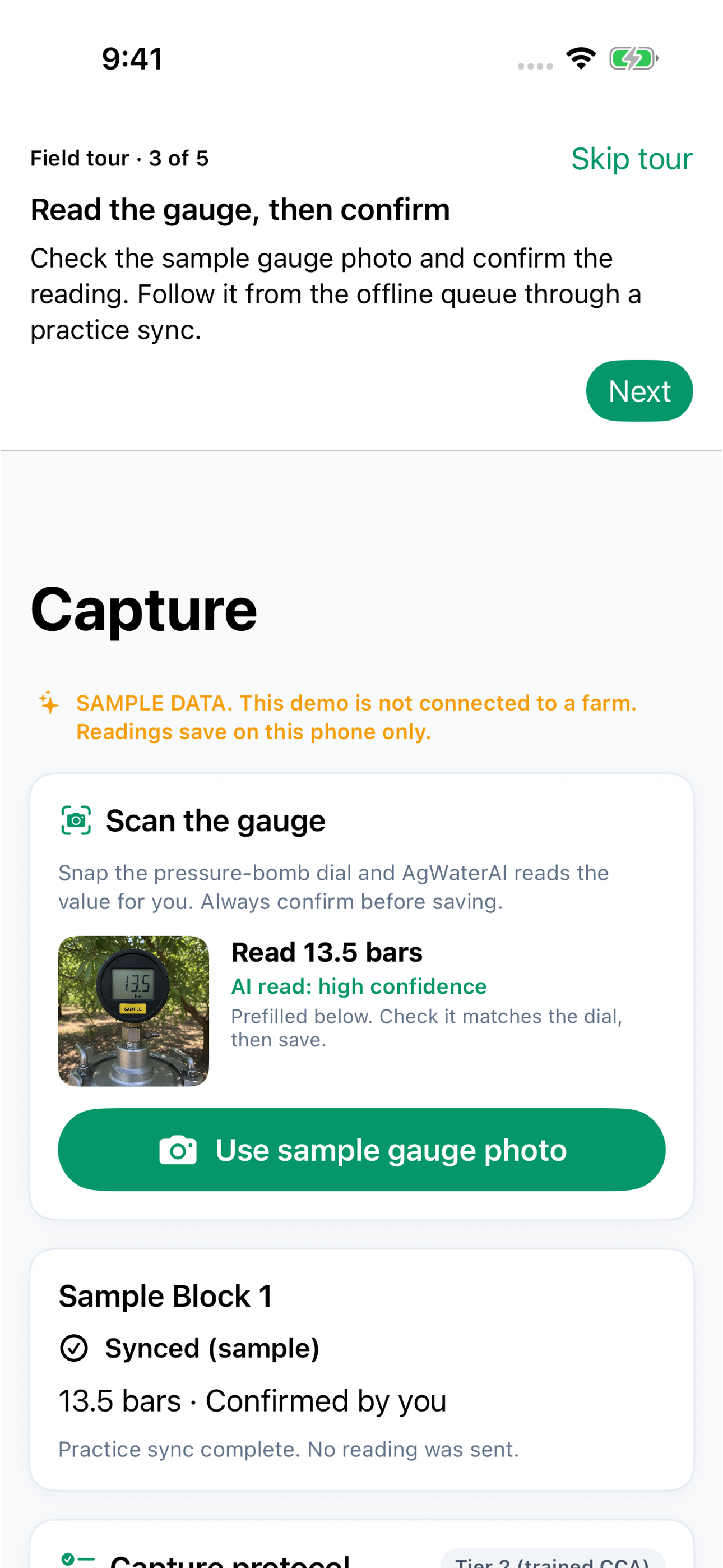
Read the gauge, then confirm
Check the gauge photo and confirm the reading. Follow it from the offline queue through a practice sync.
Step 4
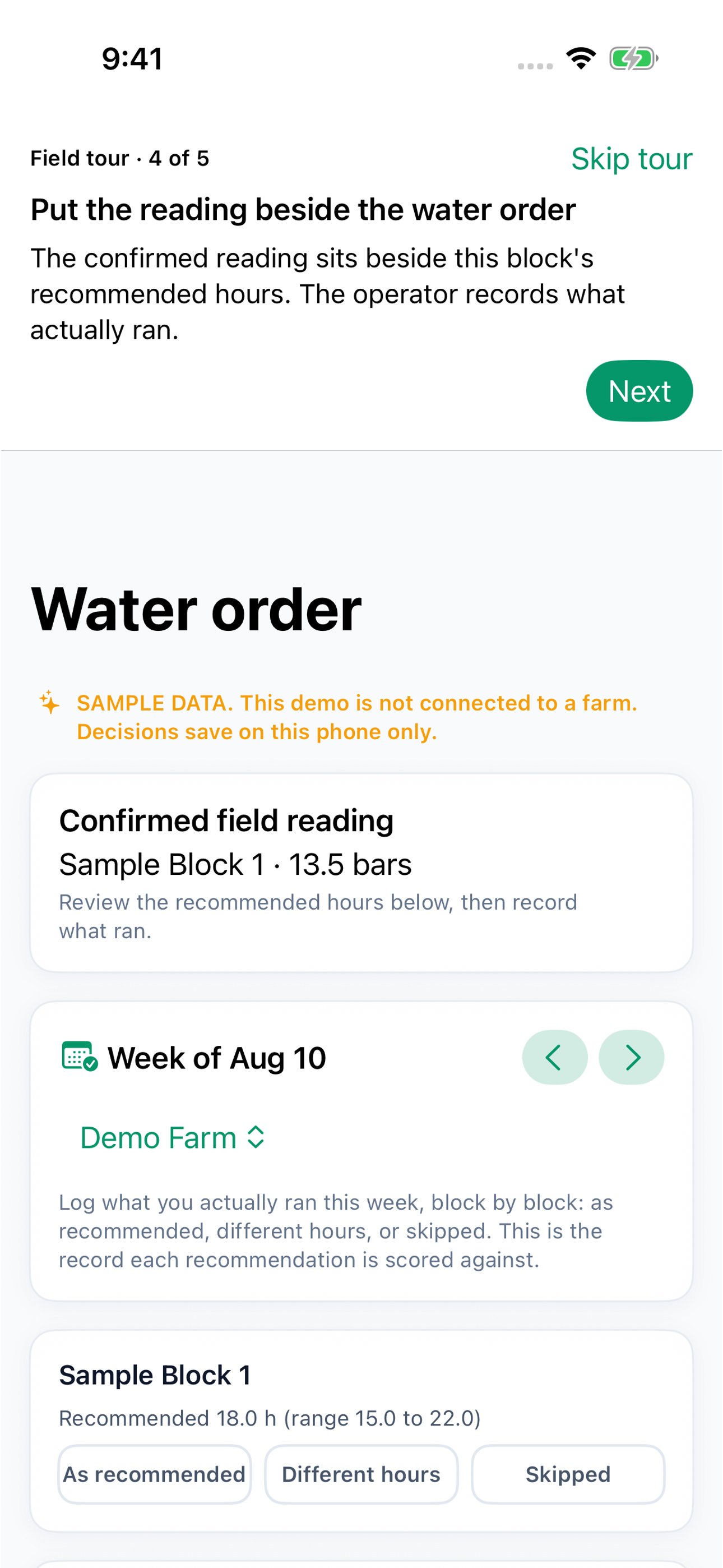
Put the reading beside the water order
The confirmed reading sits beside this block’s recommended hours. The operator records what actually ran.
Step 5
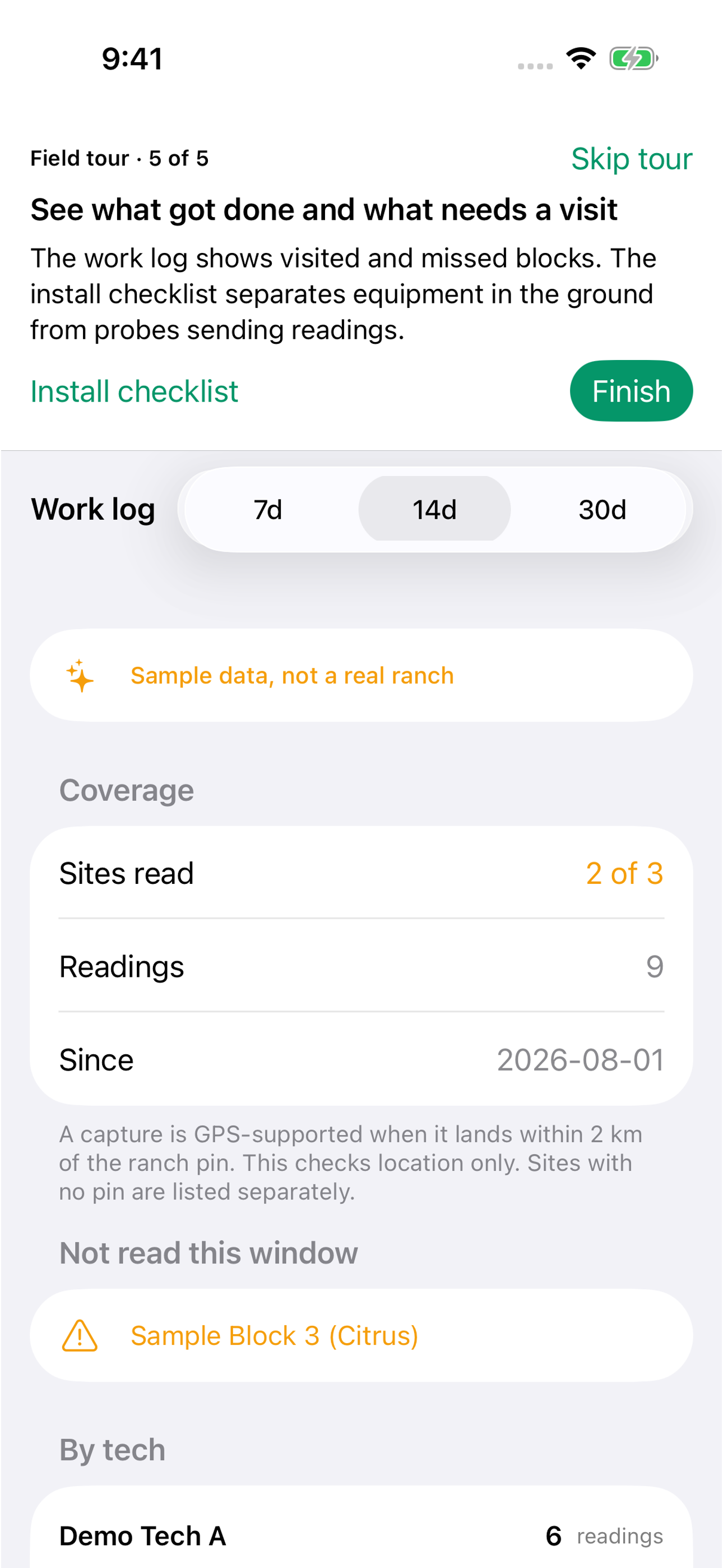
See what got done and what needs a visit
The work log shows visited and missed blocks. The install checklist separates equipment in the ground from probes sending readings.
What this looks like in a real week
For the technician
Use the queue to choose the next visit. Check the block, confirm a pressure-bomb reading and save it when signal is weak. Record what ran, review missed visits and check which installed probes are still waiting to report.
For the grower
The result is a block-by-block account of the field reading, recommended hours and what the operator recorded. The crew can point to what needs attention, what was checked and what still needs a visit.
Walk through it on your phone
open the app and tap See the field team app.
Get AgWaterAI on the App Store